Canada’s AI Rules for Kids: What Parents and Teachers Need to Know

By Debbie Taylor | Updated September 29, 2026 | 8 min read
Following the news? Read our short news update on LinkedIn. This page is the full family guide.
A child can ask a chatbot for homework help, use a reading app at school, or play with a toy that answers to their voice. All of that can happen before dinner. Each time, the tool may collect personal information about your child.
So what rules protect kids in Canada? Here is the short answer. Canada does not have one single law for children and artificial intelligence (AI). Instead, we have a mix of privacy laws, school rules, and safety laws. In June 2026, Ottawa introduced two new bills that would change that. Neither is law yet. This guide explains it all in plain words.
This article is for general information only. It is not legal advice. Laws can change.
Quick answer Canada has no single AI law for kids yet. Privacy laws, school rules, and safety laws already help protect children. Two federal bills from June 2026 (C-34 and C-36) could add stronger rules, but neither has passed. Until then, the best protection is smart habits at home and at school. |

Many everyday learning tools now collect personal information.
Why kids need extra privacy protection
Kids are not just small adults. They are still learning how a choice today can follow them later. A child might tap “accept,” share a photo, or type a private question. They may not know who can see it or how long it will be kept.
AI tools do more than store information. They can sort it, guess things from it, and suggest what to do next. Sometimes that helps. A reading app can match a child’s level. A safety filter can block harmful content. A tutor tool can explain math in a new way.
The worry is what happens behind the scenes. A tool might collect voice recordings, photos, location, or learning habits. It might build a profile of your child. If that information is shared, sold, or not kept safe, families may not find out until much later.
Are Canada’s AI Rules for Kids already protecting kids?
Canada’s rules come from many places. Some cover businesses. Some cover schools. Some protect children from harm and unfair treatment.
Federal privacy law (PIPEDA)
The main federal privacy law is called PIPEDA. It applies to many businesses. It says a company must explain why it needs your information, ask for real consent, collect only what it needs, keep it safe, and let you see it or fix it.
Real consent is hard for kids. A long adult privacy notice does not help a nine-year-old. That is why the Privacy Commissioner of Canada is now working on a Children’s Privacy Code. On May 4, 2026, the commissioner’s office shared what it heard from the public and released new guidance on checking a user’s age. It also held a youth summit in November 2025, where children and teens shared their own experiences online.
Provincial and territorial privacy laws
Provinces and territories have rules too. Quebec has some of the strongest. Under its Law 25, a business needs a parent’s or guardian’s OK before collecting personal information from a child under 14. Quebec also says public apps and websites must start with the highest privacy settings by default. These rules have been in place since September 2023.
Schools usually follow provincial or territorial privacy rules. A school board may need to check a tool before using it. It may also need to limit what student information goes into it. The steps are different in each province and territory. That is why the rules can feel uneven from one family to the next.
Safety and human rights laws
Privacy is only part of the story. Criminal laws already cover child sexual exploitation, threats, harassment, and sharing private images. Human rights laws matter too. A tool must not treat kids unfairly because of disability, race, language, religion, sex, or another protected reason.
That matters for automated decisions. Imagine a tool that flags one group of students more often than another. Or one that gives less help to kids with disabilities. That is not just a computer problem. It is a fairness and rights problem.
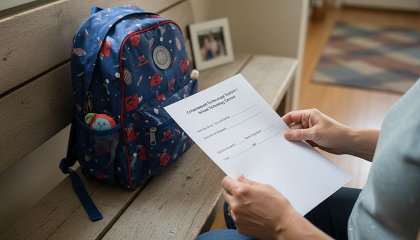
Consent should be clear enough for families to understand before a tool is used.
What new rules are coming?
A bill is a draft law. It is not a real law until Parliament passes it. In June 2026, the federal government introduced two bills that are about kids online. As of September 29, 2026, both are still early in the process.
Bill C-36: a new privacy law
Bill C-36, the Protecting Privacy and Consumer Data Act, was introduced on June 15, 2026. It would replace the main part of PIPEDA. The government says it would hold businesses to a higher standard with children’s information. It would also require plain-language explanations, let people ask to have their information deleted, and require companies to be open when they use automated decisions that could seriously affect a person. Evan Solomon, the Minister of Artificial Intelligence and Digital Innovation, said the bill would “strengthen protections for children and give businesses clearer rules.”
Bill C-34: the Safe Social Media Act
Bill C-34, the Safe Social Media Act, was introduced on June 10, 2026. It would set 16 as the minimum age for a social media account. Platforms could get an exception if they show they have strong safeguards. It would ask social media apps to be “safe by design.” It would also make AI chatbots take steps to lower the risk of sharing harmful content and to step in during a crisis. A new Digital Safety Commission would make sure companies follow the rules.
“The safety of children cannot be an afterthought,” said Marc Miller, the Minister of Canadian Identity and Culture, when the bill was introduced.
The entire bill must be evaluated by us, the tax payers. Any parts of this bill that restrict citizens under the guise of protecting children need to be made public and debated openly. No midnight sneaky sneaky by the government adding last minute provisions then passing new laws without the public aware.
If you have any updated information regarding this bill please email me directly at taylor@taylorteaches.ca I would love to hear facts, thoughts and opinions regarding Bill C-34.
This is an important bill that we all need to read and understand. What else does this bill cover? We need to know which parts protect our children and which parts protect government and harm citizens. That is another discussion to have.
What about a Canadian AI law?
An earlier federal AI bill did not pass. On CTV’s Question Period on September 27, 2026, Minister Solomon said AI needs rules, but he would not say what they will be. “Safety is our number one concern,” he said. For now, the two bills above are the main federal steps that touch on kids and AI.
What are people saying?
Not everyone agrees on the best way to protect kids. Here is a fair look at both sides. Some of these comments were made before the bill was introduced.
Who | What they said |
Shimi Kang, psychiatrist, University of British Columbia | An age limit is “a common sense approach because the science is absolutely clear on the impact to young people.” (Global News) |
Josh Golin, FairPlay | Companies that refuse to make products safer for young people “should lose their right to target children.” (Global News) |
Michael Geist, University of Ottawa law professor | Has warned that a ban could be a band-aid fix and could increase the risk of surveillance. (Global News) |
Christopher Dietzel, Western University | A ban “doesn’t actually remove the harm.” (Global News) |
Philippe Dufresne, Privacy Commissioner of Canada | “The first step need not necessarily be a ban.” He also said age checks “can be a valuable mechanism” to reduce harms to children online. |
Why the worry about age checks? To prove a child is under 16, an app may have to collect more information about that child. That is the very thing privacy rules try to limit. One law firm, Fasken, notes that Bill C-34 leaves many details, including how age would be checked, to future rules.
A good question to keep in mind is not “Did the user click agree?” It is “Is this fair, safe, and easy for a child to understand?”

Schools need to balance useful digital tools with careful privacy choices.
Good and bad sides of AI tools for kids
The good: A well-built tool can help a child practise reading, translate instructions, or support different ways of learning. It can also alert a trusted adult to a safety problem.
The risks: Privacy can suffer when an app collects too much, keeps it too long, or uses it in ways a family did not expect. Safety can suffer when a tool gives harmful advice or shows unsafe content.
Big risks often hide in small details:
• A child’s voice is recorded during a learning activity.
• A homework tool saves personal questions.
• A classroom app tracks speed, mistakes, and behaviour.
• A safety filter blocks helpful mental health information.
• A video feed keeps showing upsetting content.
• A chatbot gives an answer that sounds sure but is wrong.
What this means for you
Parents and caregivers
The hard part is knowing what your child uses and what those tools collect. Here are questions worth asking about any tool:
• What information does this tool collect?
• Is my child’s information used to train or improve the tool?
• Can we delete it later?
• Are the privacy settings set to the most private choice from the start?
• Who can see my child’s work, voice, photos, or profile?
Teachers and schools
Teachers want tools that help students. They must also protect privacy and fairness. A tool that saves time can cause new problems if it collects sensitive information or judges students in ways that are not reliable. When schools ask hard questions before they pick a tool, students and teachers both win.
A note for app makers
If you build tools for kids, launching first and fixing later is no longer enough. Test for safety, collect less, design for a child’s age, and give adults an easy way to report a concern. Keep updated on canadas-ai-rules-for-kids
A simple checklist for families
No parent can check every app. A few steady habits go a long way.
• Read the short version first. If an app has a parent or kid summary, start there. If it is vague, that is a warning sign.
• Pick the most private settings. Turn off public profiles, location sharing, extra recording, and personalized suggestions when you can.
• Keep private details out. Teach kids not to type their full name, address, school, health details, family problems, or private photos unless a trusted adult says it is okay.
• Ask the school what it uses. Try this message: “Which digital learning tools do you use? What student information do they collect? How can families ask questions?”
• Talk about mistakes. AI answers can be wrong. Tell kids to check with a trusted adult before acting on advice about health, safety, money, friends, or school discipline.
• Make it safe to tell you. Kids should know they will not get in trouble for showing you a scary message, a strange request, or an unsafe answer. To report online sexual exploitation, families can use Cybertip.ca.

A simple checklist can help families ask better questions about digital tools.
Free Family AI Safety Checklist Want the checklist above as a one-page printout for the fridge? |
FAMILY AI SAFETY CHECKLIST Simple steps for parents, caregivers and teachers in Canada Tape it to the fridge. Tick each box as you go. 1. Before your child uses a new app or tool ☐ Read the short version. Look for a parent or kid summary first. If it is vague, treat that as a warning sign. ☐ Ask five questions. What does it collect? Is my child’s information used to train the tool? Can we delete it? Is it set to the most private option? Who can see my child’s work, voice, photos or profile? ☐ Check who it is for. Is the tool made for children? Does it give a real way to reach a person? 2. Settings to switch on or off ☐ Turn off public profiles, location sharing, extra recording and personalized suggestions where you can. ☐ Choose the most private setting from the start. Do not wait for a problem. ☐ Review settings again every few months. Updates can change them. 3. Talk with your child ☐ Keep private details out. No full name, address, school name, health details, family problems or private photos unless a trusted adult says it is okay. ☐ Explain that AI can be wrong. Check with a trusted adult before acting on advice about health, safety, money, friends or school. ☐ Make it safe to tell you. Say clearly: “You will not get in trouble for showing me a scary message or a strange request.” 4. Ask your child’s school ☐ “Which digital learning tools do you use? What student information do they collect? How can families ask questions?” ☐ Ask how parents can see, correct or delete their child’s information. Rules differ by province and territory. 5. If something goes wrong ☐ Stay calm and save it. Take a screenshot of the message or answer before it disappears. ☐ Report it. Online sexual exploitation: Cybertip.ca. Intimate image shared: NeedHelpNow.ca. Immediate danger: 911. ☐ Tell the app and the school if a school tool was involved, and turn off the feature. The goal is not fear. The goal is careful use. Learn more: TaylorTeaches.ca | Learn • Grow • Belong General information only, not legal advice. Prepared September 2026. Laws and tools change. |
Frequently asked questions
Does Canada have one law for kids and AI tools?
No. Canada uses a mix of federal privacy law, provincial and territorial rules, school policies, and safety laws. Two new federal bills were introduced in June 2026, but they are not law yet.
Can schools use AI tools without parent consent?
It depends on the province or territory, the type of tool, the information collected, and the school’s legal power. Families can ask the school or board which tools are used and how student information is protected.
Is there a minimum age for social media in Canada?
Not by law yet. Most apps make their own age rules. Bill C-34 would set a minimum age of 16, but it has not passed.
Is AI safe for my child to use?
It depends on the tool. Many can help learning when they are chosen with care, collect little, and are watched by adults. The goal is not fear. The goal is careful use.
What is the biggest privacy risk for kids?
Over-collection. That means an app gathers more than it needs, keeps it too long, or uses it in unclear ways. Kids lose control before they understand what happened.
What should parents look for first?
Look for clear privacy settings, plain-language explanations, limits on data collection, easy deletion, and a way to reach a real person.
The takeaway
Canada is moving toward stronger protection for kids. But no family should wait for every law to pass. Choose tools that collect less. Keep settings private. Ask your school clear questions. And teach kids that technology is useful, but not always right.
Keep learning with Taylor Teaches Taylor Teaches makes AI literacy courses for children and families, made in Canada. Kids learn how AI works, how to use it safely, and when to ask a trusted adult. • AI Explorers, Levels 1 and 2: hands-on lessons for kids, with guides for a trusted adult. • Safe Online (free): a family guide to preventing grooming, exploitation, and child trafficking. |
About the author: Debbie Taylor is the founder of Taylor Teaches. Bill status checked on Parliament’s LegisInfo site on September 29, 2026. Quotes are from government releases, the Privacy Commissioner, Global News, and CTV News.
Sources: Bill C-36 | Bill C-34 | Government release on C-34 | Government release on C-36 | Privacy Commissioner, May 4, 2026 | Global News | CTV News via CP24, Sept. 27 | Fasken analysis | Quebec Law 25 (CFIB)
Comments